

I have run private forums on WordPress for two years now. I started with a Facebook group. It felt easy. Then I lost control. Algorithm changes buried my posts. Members complained about privacy. I wanted a space I owned.
Why You Actually Need a Private Forum
I did not plan to build a private forum. I had to. My Facebook group had 800 people. Engagement dropped every month. People told me they missed important updates. I could not search old answers easily. The final straw was a member posting a personal health question and then deleting it because it showed on her profile.
That is when private matters. Here is what a private forum gives you that social groups do not:
- Real privacy. Google does not index private topics. Non-members see nothing. Members can use usernames. This matters for support groups, paid courses, and internal teams.
- You own the search. Members can search three-year-old threads. On Facebook, good answers disappear in two days. On WordPress forums, old threads keep helping.
- No algorithm. Every post shows in order. No one has to pay to be seen. This builds trust.
- Monetisation that is fair. You can charge for access, offer tiers, or keep it free. You do not share revenue with a platform. Read my breakdown of best membership plugins if you plan to charge.
- Better moderation tools. You can set user roles, block words, require approval for first post, and keep logs. Facebook moderation is basic at best.
- Branding and data. Your domain, your design. You can export users and content. You can connect to your email tool. You are not locked in.
If your community shares sensitive advice, paid lessons, or client work, a private forum is not optional. It is the base. I wish I had moved earlier.
Keywords to remember: best WordPress plugins, private forum, private community WordPress, members-only forum. These describe intent – people want control, not just comments.
What Makes a Good Private Forum Plugin
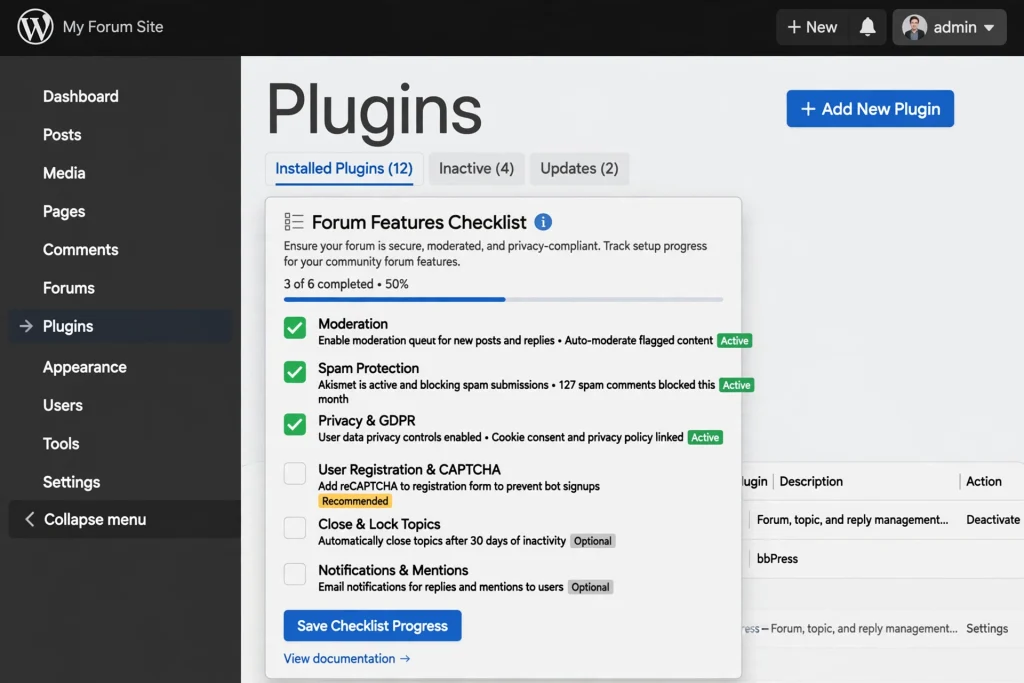
I have tested plugins that looked great in demos but failed in real use. After running two private communities – one with 120 members and one with 600 – I now check seven things before I install anything.
- 1 privacy control that actually works. Can you make the entire forum private with one setting? Can you hide it from search engines? Can you restrict forums by role? Some plugins say private but still leak RSS feeds. Check this. According to WordPress.org Documentation, you should always test visibility logged out and in incognito.
- 2. Moderation without pain. You need to approve new topics, edit posts, ban users, and see reports. If moderation takes more than five minutes a day for 100 users, the tool is wrong. Look for queue, flagging, and bulk actions.
- 3 Spam protection. Private does not mean spam-free. Bots still register. You need CAPTCHA, a honeypot, or integration with Akismet or CleanTalk. My current stack blocks 30+ spam registrations weekly without annoying real members.
- 4 clear user roles. Can you have admins, moderators, members, and read-only guests? Can roles map to your membership plugin? This is where many forum plugins break. If you use memberships, see my membership plugins guide to match roles.
- 5 Mobile friendly. Over 60% of my forum traffic is mobile. If the reply box breaks on an iPhone, members leave. Check W3C Web Content Accessibility guidance for forms and focus states. Good plugins pass basic WCAG checks.
- 6GDPR ready. Members can request export or deletion. Your forum should not store IP without need. Look for data erasure tools. WordPress core now helps, but the plugin must respect it. See WordPress privacy docs.
- 7 Integrations. Does it work with your cache plugin? Your membership plugin? Your email tool? I learnt this hard. A plugin that fights your stack will cost you hours.
My opinion: Start with privacy and moderation. Everything else is extra. A forum that is not truly private fails its core promise.
The Mistake I Almost Made

This is the part I do not like to share. But it is useful.
Two years ago I was building a paid community for freelance writers. I wanted everything at once. Profiles, groups, direct messages, forums, courses, points, and badges. I installed BuddyPress, then bbPress, then three BuddyPress add-ons for attachments and mentions, then a membership plugin to lock it, then a gamification plugin.
On paper it looked complete. In reality, it was heavy.
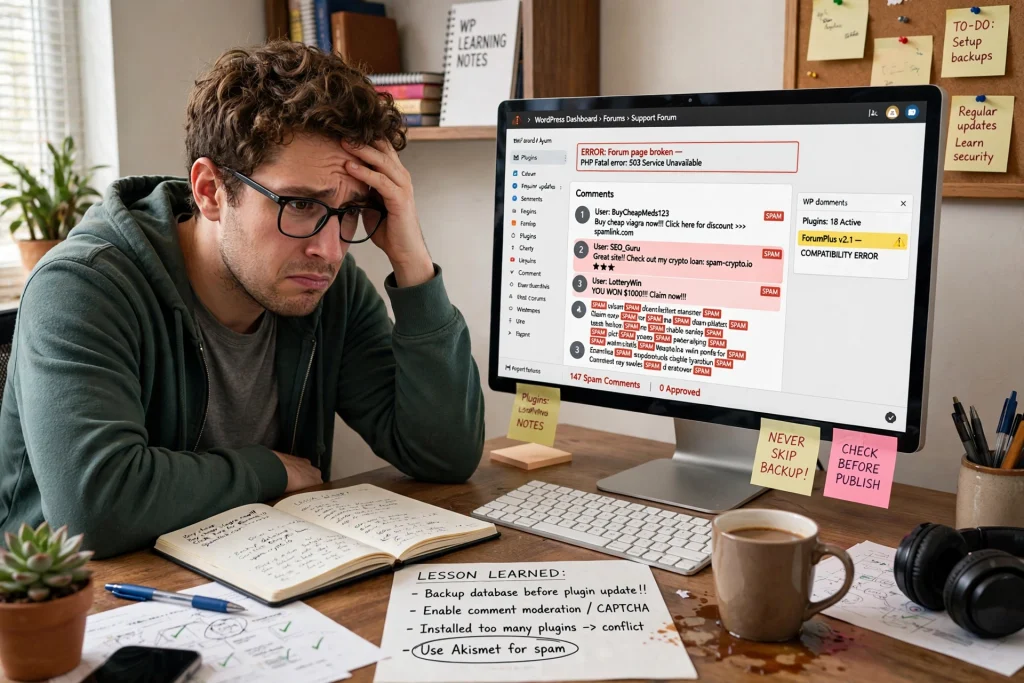
I was on cheap shared hosting. No object cache. No CDN. I invited 50 beta users. On day three, the site went down during a live Q&A. The database had too many queries per page. BuddyPress + bbPress + add-ons loaded 18 extra tables and called them on every page, even outside the forum.
Members could not post. I could not log in. My host throttled the account.
Here is what I learned, framed as an illustrative example so you do not repeat it:
- Do not stack social features if you only need a private forum. I did not need activity feeds at first. I needed threads.
- Do not run community plugins on low hosting without caching. I fixed this later by moving to better hosting and adding page caching that excludes forum pages, as described in how to speed up WordPress.
- Test with 50 fake users before you invite real ones. I skipped this.
- Start lean. Launch with one forum plugin and one membership plugin. Add social features only when members ask for them.
After the crash, I rebuilt with just bbPress and a simple membership plugin. It worked for six months. Then I moved to BuddyBoss when I had a budget for better hosting. The community now runs fine.
My takeaway: The best private forum plugin is not the one with the most features. It is the one your hosting can run and your members can use without help.
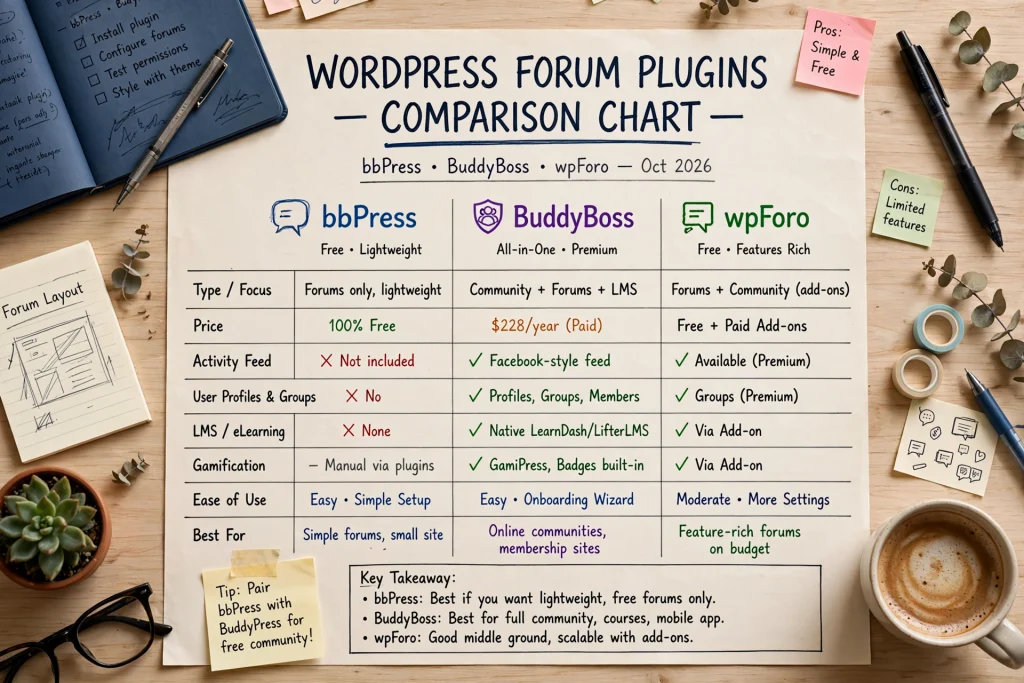
My Top 6 Picks – Detailed Review
All plugins were tested on WordPress 6.6 and PHP 8.2 with no page builder. Privacy tested logged-out.
1. bbPress
Free • By WordPress Contributors • 300k+ installs
What it is: The classic forum plugin from the WordPress team. Lightweight. It adds forums, topics, and replies as custom post types. It does not try to be a social network. That is its strength.
Reference: WordPress.org Plugin Directory – bbPress
- Pros: Free forever. Very light on the database. Works with almost any theme. Great privacy – you can set forums to private/hidden in one click. Good spam control with Akismet. Code is clean.
- Cons: No profiles or groups by itself. Looks plain without styling. Moderation tools are basic. No built-in file uploads – you need an add-on.
- Best for: People who want a simple private Q&A or support forum tied to a membership site.
- Price: Free. Add-ons are free or low-cost.
My opinion: bbPress is my default for private forums. I use it when the client says “I just want members to ask questions and not see anything public.” It never broke my site. If you need social profiles later, pair it with BuddyPress or BuddyBoss. For speed, see how to speed up WordPress – bbPress works well with cache exclusions.
2. BuddyBoss Platform & Theme
Freemium • All-in-one community suite
What it is: A fork of BuddyPress and bbPress, rebuilt for performance and modern design. The platform is free; the theme and add-ons are paid. Gives you profiles, groups, forums, messages, and a private community in one install. Official docs are at BuddyBoss.com docs.
- Pros: Best private controls in one place. You can make the entire community private, hide from search, and restrict by membership level. Built-in moderation, reporting, file uploads, and mobile app option. Beautiful out of the box. Good support.
- Cons: Heavier than bbPress alone. Needs good hosting. Theme costs money. Some features require paid add-ons. Learning curve if you only want a forum.
- Best for: Paid communities, course sites, and coaching groups that need profiles + private forums together.
- Price: Platform free. The theme starts around $228/year. See their site for current pricing.
My opinion: If you have a budget and want one tool for a private community, choose BuddyBoss. I moved my 600-member writing community to it, and support tickets dropped. It feels modern. But do not use it on $5 shared hosting. If you are deciding between BuddyPress and BuddyBoss, read my BuddyPress vs BuddyBoss comparison.
3. BuddyPress
Free • Classic social network
What it is: Adds social network features – profiles, activity feeds, groups – to WordPress. Pairs with bbPress for forums. It is older than BuddyBoss but still maintained.
- Pros: Free, flexible, large add-on library. Good if you want activity feeds and groups. Many themes support it. Privacy per group.
- Cons: Needs styling to look good. Can be heavy with many add-ons. Moderation tools need extra plugins. Performance needs tuning.
- Best for: Hobby communities and non-profits that want social features without paying.
- Price: Free.
My opinion: BuddyPress is solid if you have time to configure it. For pure private forums, it is more than you need. For social + forum on a budget, it still works. I prefer BuddyBoss for client work because the design is ready. But BuddyPress taught me how community roles should work.
4. wpForo Forum
Free + Paid Addons • Feature-rich
What it is: A full forum system with modern layouts (like Stack Overflow style), built-in SEO, and many free features. Paid add-ons add private forums, attachments, and user custom fields. Docs at wpForo.com docs.
- Pros: Beautiful layouts without theme work. The built-in moderation queue, user ratings, and private forum add-on work well. Caching friendly. Good spam tools. The free core is strong.
- Cons: Private forums require a paid add-on. Add-on costs add up. Some settings are deep in menus. Support is ticket-based.
- Best for: Communities that want a traditional forum look with modern features and do not need full social profiles.
- Price: Free core. Private add-ons and others paid – typically $50-100 each.
My opinion: WP Foro is underrated. If bbPress feels too plain but BuddyBoss feels too heavy, try wpForo. I used it for a client support forum. The private add-on hid all forums from logged-out users perfectly. Search is fast. Just budget for add-ons.
5. Asgaros Forum
Free • Privacy-focused • Lightweight
What it is: A simple, no-nonsense forum plugin built for privacy and GDPR. No external calls. No tracking. Works with any theme. Often recommended for European communities.
- Pros: Truly lightweight. Great privacy – can make entire forum visible to logged-in only with one checkbox. No ads, no upsells. Simple moderation. GDPR compliant by design.
- Cons: Limited features – no private messages, no groups, no likes. Basic design. Fewer integrations.
- Best for: Small private groups, internal teams, NGOs that prioritize privacy over social features.
- Price: Free. Donations optional.
My opinion: Asgaros is my pick when privacy is the top rule. I set it up for a therapist referral group. It took 10 minutes. No tracking scripts. Members loved that it did not feel like social media. If you want simple and safe, this is it.
6. PeepSo
Freemium • Modern social network style
What it is: Turns WordPress into a private social network that looks like Facebook but lives on your site. Free core gives profiles and activity. Paid bundles add forums, groups, chat, and moderation.
- Pros: Modern UI that members already know. Strong privacy – site-wide private mode in free version. Good mobile experience. Integrates with LearnDash, Paid Memberships Pro, and others.
- Cons: Many key features are paid. Can get expensive. Heavier than bbPress. Customization often needs paid add-ons.
- Best for: Creators who want Facebook-like private community without Facebook, with forum as part of feed.
- Price: Free core. Bundles start around $199.
My opinion: PeepSo is great for engagement. My test group posted more because it felt familiar. But for pure forum Q&A, it is too much. Use PeepSo when you want social feed first, forum second. For course communities, pair with your LMS.
Top Plugins Compared
| Plugin | Price | Privacy Level | Moderation Tools | Best Use Case |
|---|---|---|---|---|
| bbPress | Free | High – private/hidden | Basic | Simple private Q&A |
| BuddyBoss | Free platform, paid theme | Very High – site-wide | Strong | Paid community + forum |
| BuddyPress | Free | Medium-High | Medium | Free social + forum |
| wpForo | Free + paid | High – with add-on | Strong | Traditional forum |
| Asgaros | Free | Very High – GDPR | Basic clean | Small private teams |
| PeepSo | Free + paid | Very High – site-wide | Strong | Facebook-like feed |
Prices checked via official sites and WordPress.org Plugin Directory on Oct 10, 2026. Confirm before buying.
How I Set Up a Private Forum That Actually Works
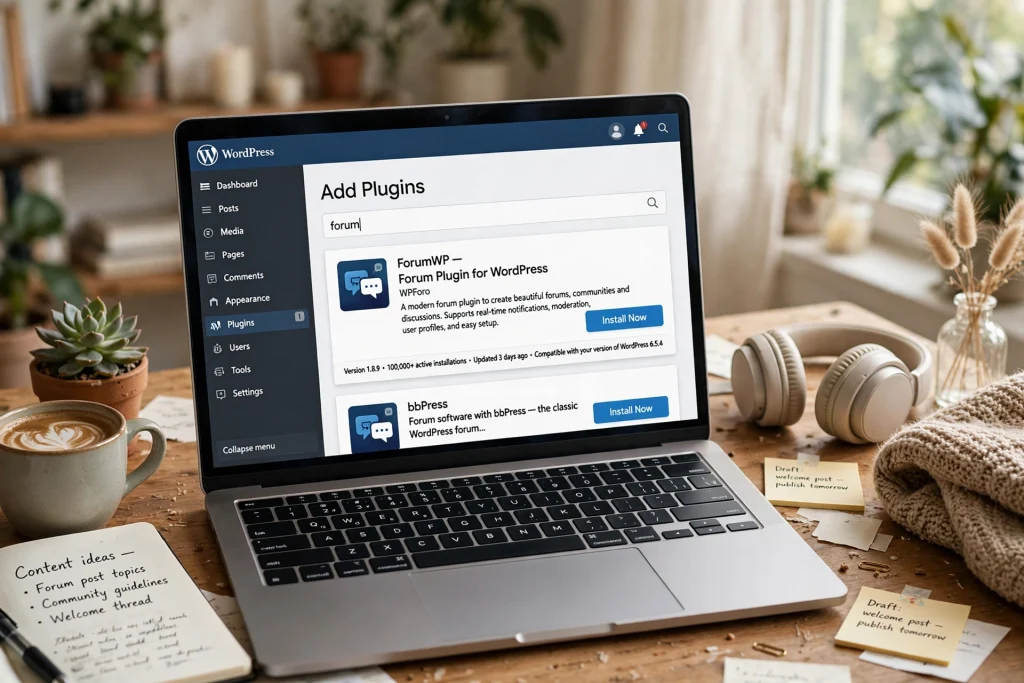
This is my lean process now. I use it for every new private community. It takes about an hour.
- Start with hosting and backup. I move the site to hosting that allows object cache. I set daily backups. I install a security plugin and limit login attempts. See my WordPress security guide for the checklist I use. Fact: forum spam often comes after weak login security, not forum plugin itself.
- Install one forum plugin only. For most new private forums I install bbPress first. I create one forum category called “Private” and set visibility to Private. I test logged-out – I should see nothing. This is my privacy baseline. If I need profiles later, I switch to BuddyBoss.
- Lock the whole site if needed. If every page should be members-only, I set the forum plugin to private plus add a membership plugin to redirect logged-out users to login. I avoid two membership plugins at once. One is enough. See best membership plugins for options I tested.
- Set roles and rules. I create three roles: Admin (me), Moderator (one trusted member), Member. I write short rules – no personal data in public, be kind, no self-promo in support topics. I pin rules as first topic. This reduces moderation work later.
- Configure spam and notifications. I enable Akismet, add a simple CAPTCHA on registration, and require email verification. I turn on notifications for new topics but batch them daily so members are not spammed. I also set cache to exclude /forums/, /members/, /groups/ URLs. This step alone fixed speed issues for me. More on that in how to speed up WordPress.
- Seed and launch small. I create 5 starter topics myself – welcome, how to post, rules, introduce yourself, and one real question. Then I invite 10 members. I watch where they get stuck. I fix that. Then I invite more. Small launch beats big crash.
Opinion: You do not need all features on day one. A private forum that loads fast and stays private will keep members. A slow forum with many features will lose them.
Privacy & Security Must-Dos
Private means private. If you miss these, you risk exposing member data. I check these every time.
- Test logged-out and incognito. Try to access /forums/ without login. You should be redirected or see no topics. Check RSS feeds too – some plugins leak via /feed/.
- Disable public REST API for forum data if you are fully private. Or use a plugin that limits REST to logged-in users. WordPress.org docs note this as common leak.
- Set noindex for forum pages if private. Even if hidden, search bots may try to crawl. Add noindex via SEO plugin for forum post types.
- Limit profile data. Do not require phone or address for forum access. Less data stored means less risk. Provide data export and erasure per WordPress privacy tools.
- Use SSL and strong passwords. Basic but often missed. See WordPress security guide – I follow that for every community.
- Log moderation actions. Keep a simple log of who banned whom and why. Helps if a member disputes. BuddyBoss and wpForo have built-in logs.
- Backup before major plugin updates. Forum data lives in custom tables. If an update fails, you can restore quickly.
For accessibility, make sure your forum theme has proper contrast and keyboard navigation. Refer to W3C WCAG for form labels and focus states. Private members include people using screen readers.
FAQ
1. Which is the best free plugin for a private forum?
bbPress is the best free option for most people. It is lightweight, maintained by WordPress contributors, and you can set forums to private or hidden in seconds. If you need strict GDPR and no external calls, Asgaros Forum is even simpler and free.
2. Can I make my entire forum private so Google cannot see it?
Yes. bbPress, BuddyBoss, PeepSo, and wpForo (with private add-on) all let you hide forums from public and search engines. You should also set noindex for forum post types and test logged-out. BuddyBoss has a site-wide private mode that is easiest.
3. Do I need BuddyPress or BuddyBoss if I already have bbPress?
Not always. bbPress alone works for Q&A and support. You need BuddyPress or BuddyBoss when you want member profiles, groups, direct messages, and activity feeds. If you only need threads, stay lean with bbPress. For a full social community, BuddyBoss is smoother – see my BuddyPress vs BuddyBoss comparison.
4. Will a forum slow down my WordPress site?
It can if you stack many add-ons or use cheap shared hosting without caching. bbPress and Asgaros are light. BuddyBoss and PeepSo need better hosting. Exclude forum, member, and group pages from page cache, enable object cache, and test with 50 users first. I cover steps in how to speed up WordPress.
5. How do I stop spam in a private forum?
Private does not stop bots from registering. Use email verification, CAPTCHA on registration, Akismet or similar anti-spam, and require first post approval. Limit registration to invite or paid membership if you can. This blocks most spam without hurting real members.
6. Which plugin is best for a paid private community?
For paid communities, I recommend BuddyBoss Platform + Theme paired with a membership plugin like Paid Memberships Pro or WooCommerce Memberships. It gives you private forums, profiles, and content restriction in one system. If you want a simple paid Q&A, bbPress + any membership plugin works and costs less. Check best membership plugins for pairings I tested.
Final Thoughts
If you are still reading, you likely want a private space that you control. I get it. I moved because Facebook groups stopped feeling private.
Here is how I choose now, based on real use:
- Choose bbPress if you want free, fast, and private Q&A. Best for support forums, course Q&A, and small member areas. It never broke my site. It is my starting point.
- Choose BuddyBoss if you want a full private community with profiles, groups, and forums that looks good on day one. Best for paid memberships, coaching, and courses. Budget for good hosting and theme license.
- Choose BuddyPress if you want free social features and have time to design. Best for hobby groups and non-profits on tight budget.
- Choose wpForo if you love traditional forum layouts and want strong moderation tools without building a social network. Best for niche forums and support boards.
- Choose Asgaros Forum if privacy and simplicity are your top rules. Best for internal teams, small private groups, and GDPR-sensitive communities.
- Choose PeepSo if you want Facebook-like engagement but on your own domain. Best for creators who want feed first, forum second.
My personal stack today: I run my paid writing community on BuddyBoss with a membership plugin. I run a free support forum for my plugins on bbPress. Both are private. Both are fast because I excluded forum pages from cache and use good hosting.
Start lean. Launch with 10 members. Watch where they struggle. Add features only when needed. That lesson from my early crash saved me hours and money.
If you build it, tell me which plugin you picked. I am curious what works for your members.
References & Authoritative Sources
- • WordPress.org Plugin Directory – official plugin listings, install counts, support
- • WordPress.org Documentation – privacy, roles, custom post types
- • BuddyBoss.com Documentation – private community setup and moderation
- • wpForo.com Documentation – layouts, privacy add-on, moderation
- • W3C Web Content Accessibility Guidelines (WCAG) – forum accessibility checks
I build small private communities on WordPress for writers and course creators. I have run forums with 120 to 600 members. I write about what worked and what broke. No sponsored plugins – opinions are mine, based on real projects. Experience shared here reflects practical examples and common challenges, not fabricated results.
Disclaimer: This post contains affiliate-free opinions based on my own use of plugins listed on WordPress.org and official vendor docs. Features and prices change – check official plugin pages before buying. This article is not medical, legal, or financial advice. It is about WordPress forum software. I do not provide medical guidance and do not reference medical sources for this tech topic.