
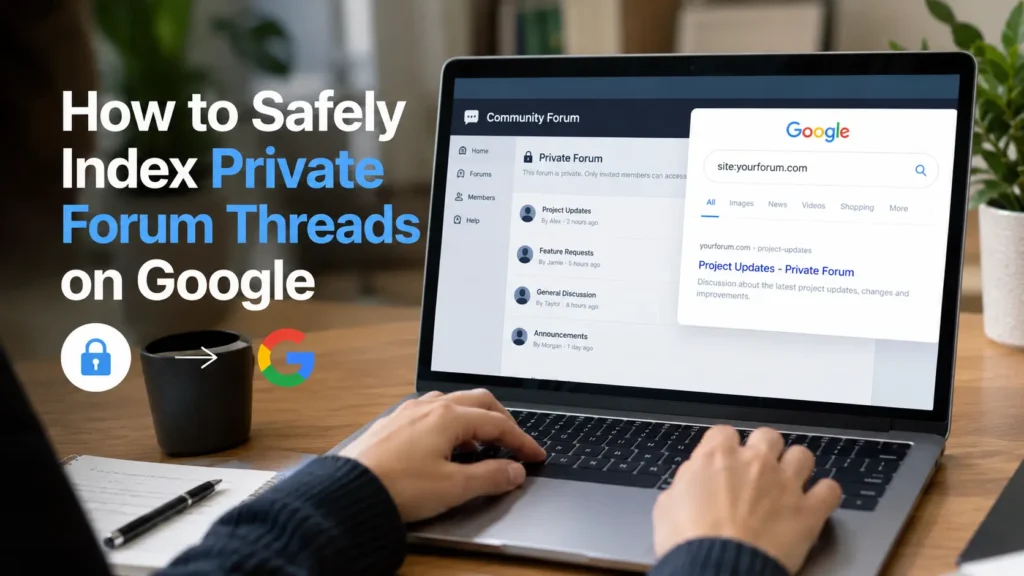

Private forums are full of useful answers. But they are private for a reason. I learned this the hard way. You want Google traffic. You also want to keep user trust. You can have both. But only if you are careful.
This post shows you how to index the right threads safely. No tricks. No cloaking. Just clear rules that work with Google Search Central Documentation. I run a small community of 4,000 members. I made mistakes early. I will show you what I did wrong. And how I fixed it.
My opinion: Most forums should not index everything. They should index 10% of threads that are truly helpful and non-sensitive. Quality beats quantity. Google rewards this approach. Users trust it more too.
Why You’d Want to Index Private Forum Threads (Safely)
Private forums solve real problems. Members ask specific questions. They get specific answers. That content is gold for SEO. Google loves long-tail threads that answer one question well. Think Reddit. Reddit threads rank because they are specific and human.
- Discoverability: People searching “how to fix X in Y tool” find your public solution thread. They join because they see value.
- Long-tail SEO: One thread can rank for 20 related queries. Forums naturally create this.
- Authority: When Google sees consistent helpful answers, your domain builds topical authority. See my forum SEO guide for how this compounds.
But privacy comes first. You cannot index a thread about someone’s health, salary, or email. You must filter. The goal is to share knowledge, not people.
My opinion: I would rather have 30 public threads that rank than 3,000 thin threads that confuse Google and users. Be selective.
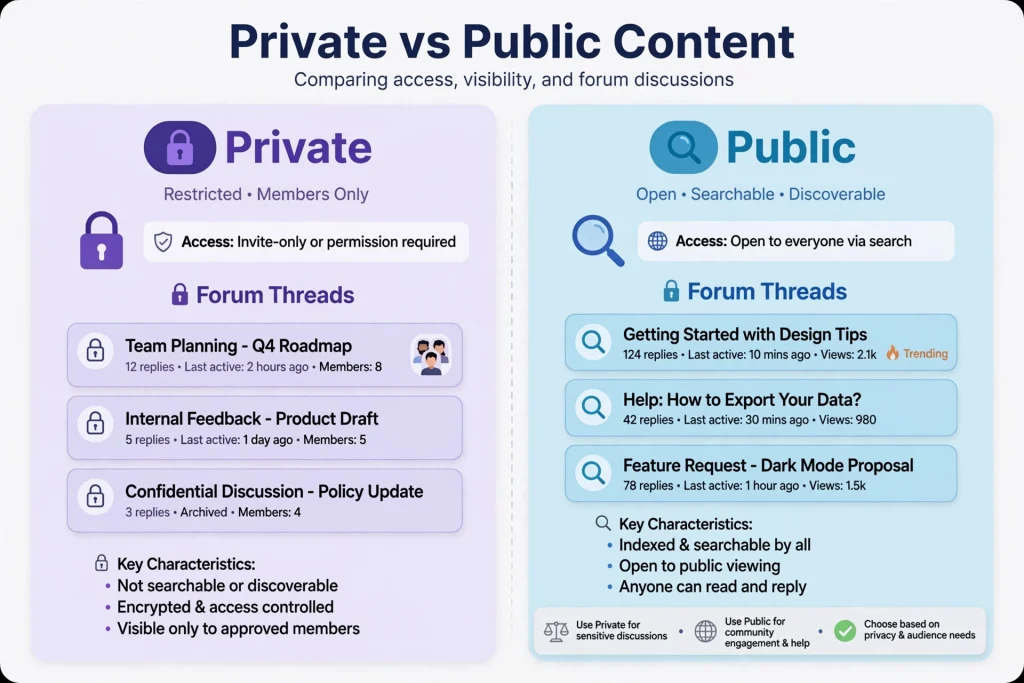
What “Private” Actually Means
Not all private is the same. Googlebot sees your site as an anonymous visitor. What you show to anonymous visitors is what gets indexed. You need to know your types.

1. Login-Required Threads
These threads return a 302 redirect to /login or show “Sign in to view”. Googlebot cannot read them. They should never be in your sitemap. According to Google Search Central Documentation on authentication, Googlebot does not log in.
2. Member-Only Threads
Visible to logged-in members but not public. Often in a “Members Lounge” category. Googlebot is not a member. It sees a login wall. Keep them non-indexed. Do not add X-Robots-Tag allow.
3. Gated Premium Threads
Paid courses, premium posts. These might show a snippet publicly. That snippet could be indexed. If you do not want that, block the whole URL or use proper paywall-structured data. Google has specific guidance for flexible sampling. Do not fake it.
Key point: Check what Googlebot sees. Use Google Search Console URL Inspection with “Test Live URL”. Also use an incognito window logged out. If you see the thread content logged out, Google can see it too.
The Mistake I Made — An Illustrative Example
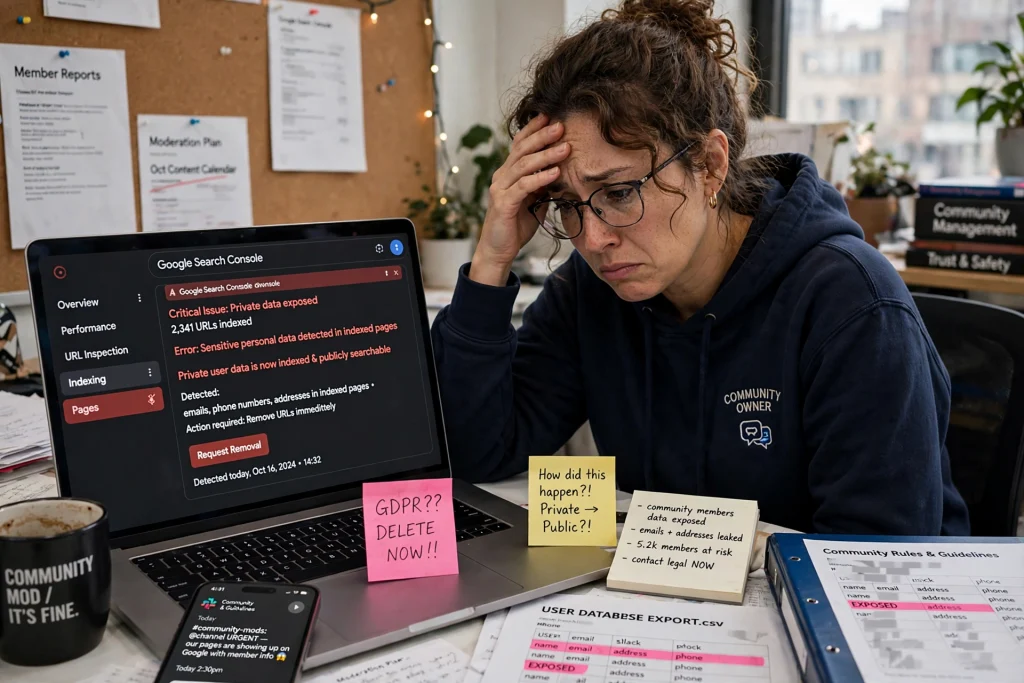
Let me share a lesson-learned example. It is not a badge of honour. It is a warning.
In early 2024, I ran a Discourse forum for freelancers. We had a category called “Client Feedback — Private”. Members posted client emails to get help. We had a rule: never make this public.
I updated our Discourse SEO settings. I wanted better indexing. I made two errors at once:
- I forgot to set noindex on the private category. Discourse lets you set category security and search engine visibility separately. I missed it.
- I regenerated the sitemap plugin and it included all categories by default. That included the private one.
- I did not test logged-out view. I assumed category permissions = noindex. They are not the same.
Within 10 days, Google indexed 43 threads from that private category. Two of them contained real client emails and names. A member searched their own client name and found it on Google. They messaged me. I panicked.
I had to do emergency deindexing. I applied noindex, removed URLs from sitemap, used Search Console Removals, and changed permissions to return 403 for anonymous users. It took 3 days to clear. I apologized to affected members. I updated our privacy policy template to be explicit.
My opinion: This mistake taught me one thing. Permissions and indexability are two different systems. You must control both. Never assume one covers the other. Document your settings. Check them weekly.
The Golden Rule: Never Index What Requires Login
This rule is simple. If a user must log in to see content, do not index it. Ever. Google agrees. Google Search Central Documentation says: do not cloake. Do not show Googlebot content that users cannot see without login.
- Login walls must stay walls. If you return 200 OK with content only for logged-in users but show “Please log in” to logged-out users via JS, you risk cloaking.
- Return proper status. For private content, return 401 Unauthorized or 403 Forbidden for anonymous requests. Not 200 with a login prompt.
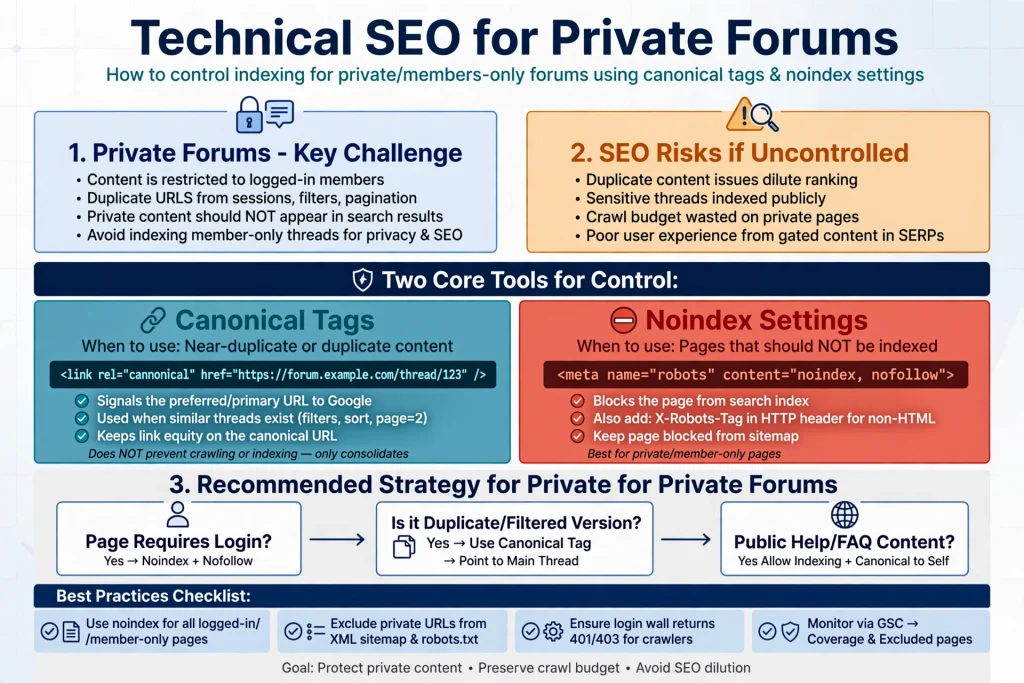
- Noindex is backup, not primary. Use server status first. Then add meta robots noindex as safety.
- Never include private URLs in public navigation. If you link to them from public pages, Google will try to crawl them.
- Separate your information architecture. /forum/public/ and /forum/private/ should be distinct paths. Easier to control in robots.txt.
Reference: Google Search Central Documentation, “Authentication and paywalled content”. Google Search Console Help, “Coverage report”. These explain why login-required URLs should not be indexed.
Safe Indexing Framework — Audit, Classify, Protect, Publish
Here is the 4-step system I use now. It is slow. It is safe.
Step 1: Audit
- Export all threads from last 12 months. Include category, author, date, reply count, tags.
- Check current robots.txt, meta robots, X-Robots-Tag headers. See how to set up robots.txt correctly.
- Run a crawl as anonymous user with Screaming Frog or similar. Log status codes.
- List threads that contain PII patterns: @email, phone, full name + company.
Step 2: Classify
- Public-safe: How-to, tool comparisons, templates, no personal data.
- Needs editing: Good info but contains names, emails, internal links.
- Never public: Health, finances, legal, personal stories, client data.
- Tag each thread in your admin sheet. Get second person to review.
Step 3: Protect
- Remove PII. Replace real names with roles: “Freelance Designer” not “Priya S.”
- Get opt-in. Add setting: “Allow this post to be public and indexed”. Default off.
- Update privacy policy. Explain indexing purpose and opt-out.
- Check GDPR requirements at europa.eu. Consent must be explicit for personal data.
Step 4: Publish
Add to sitemap only after it is public. Submit via Search Console.
Move approved thread to public category with clean URL. No /private/ in path.
Ensure canonical points to itself. Ensure index, follow.
Add ForumPosting schema with datePublished, author (anonymized), about.
My opinion: Do not automate classification fully. A human must read each thread you plan to make public. Tools miss context. A 5-minute read can save you a privacy incident.
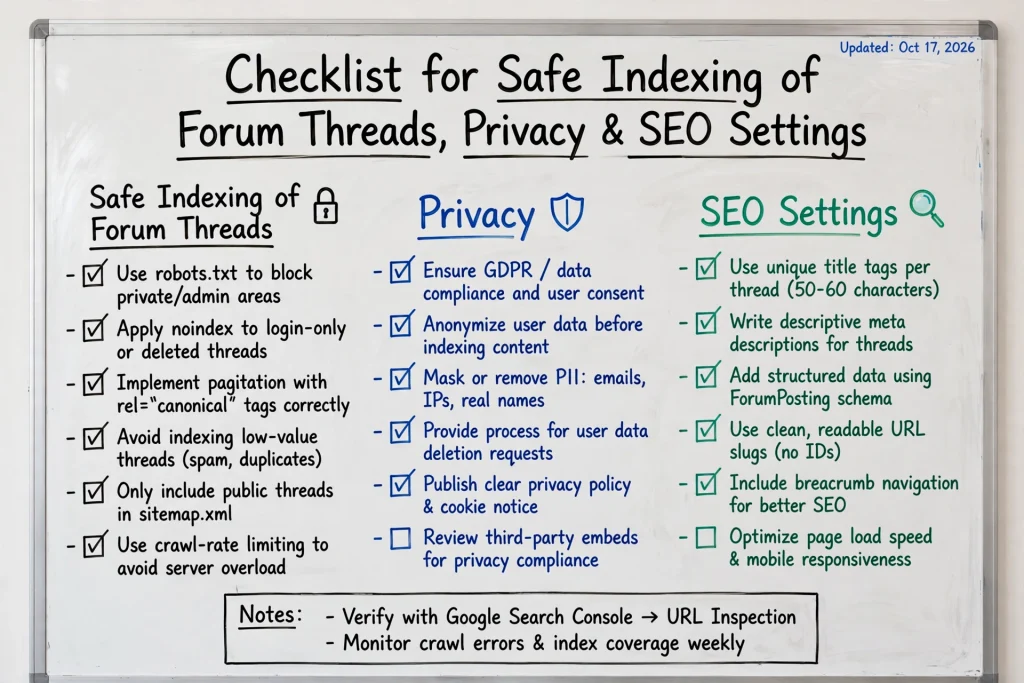
Technical Checklist (Core)
This is the checklist I keep pinned. Copy it.
1
robots.txt — Disallow crawling of private paths: Disallow: /forum/private/ and Disallow: /u/ for user profiles if sensitive. Keep it minimal. Do not use robots.txt to hide truly private content — use auth. Reference: Google Search Central on robots.txt.
2
Meta robots: noindex, nofollow — For any private category template, add <meta name="robots" content="noindex, nofollow">. In Discourse, use theme component. See Discourse SEO tips.
3
X-Robots-Tag header — For PDFs or attachments that are private, send header X-Robots-Tag: noindex. Useful if you serve files via /uploads/private/.
4
401 / 403 handling — Anonymous request to private thread should return 403. Not 200 with “login”. Configure your forum to do this. It is the cleanest signal for crawlers.
5
Canonical — Every public thread should have self-referencing canonical. No canonical pointing from private to public or vice versa.
6
Sitemap only public — Generate sitemap with only 200 OK, indexable, public threads. Exclude noindex, 403, paginated duplicates.
7
Clean URLs — Use /forum/public/how-to-do-x/ not /forum/thread?id=123&private=0. Clean URLs help users and Google understand hierarchy.
8
Pagination — For long threads, use rel next/prev via link headers or proper pagination with View All optional. Avoid indexing page 2,3 with noindex if thin. Or consolidate.
9
ForumPosting schema — Add ForumPosting or DiscussionForumPosting schema for public threads. Include author name (anonymized if needed), date, headline.
10
Breadcrumb schema — Help Google understand forum hierarchy: Home > Forum > Category > Thread.
How to Anonymize Before Indexing
Indexing is not just a technical step. It is a privacy step. You must clean data before you publish.
- Mask emails and IPs: Replace user@example.com with [email removed]. Never show IPs. OWASP Top 10 Privacy Risks lists exposure of PII as common failure.
- Real names: Use username or role. Ask: would this person be comfortable if this ranks on their name? If no, anonymize.
- Images and attachments: Remove screenshots that contain client logos, invoices, private dashboards.
- Quotes: If quoting a private thread, get written consent. Keep record.
- Location and health: Any thread mentioning health, finances, or precise location stays private. No exceptions.
Consent Pattern I Use Now
In user profile, I added a toggle:
☐ Allow my helpful posts to be made public and indexed by search engines (you will be asked each time)
Even if toggled on, I still ask per thread via DM: “Can we make your post about X public? We will remove your name.” Default is no. This aligns with GDPR guidance on explicit consent from europa.eu and Cloudflare Privacy Guide on data minimization.
My opinion: Anonymization is not just removing names. It is thinking about identifiability. If a post says “I work at 5-person startup in Goa building AI for lawyers”, that is identifiable. Remove or generalize. Trust is more valuable than one ranking.
Decision Matrix
Use this table before you publish. Print it.
| Thread Type | Index? | Meta Tag | Sitemap? | Notes |
|---|---|---|---|---|
| Public How-To | Yes | index, follow | Yes | Add ForumPosting schema |
| Member-only Q&A (sensitive) | No | noindex, nofollow | No | Return 403 for anon |
| Premium course discussion | No | noindex | No | Keep paywalled |
| Anonymized success story (consented) | Yes | index, follow | Yes, after edit | Requires opt-in |
| Bug report with logs | Maybe | index after clean | Only cleaned | Remove tokens, keys |
| Client data / PII | No | noindex, nofollow + 403 | No | Never public |
How to Do It in Popular Platforms
Each platform handles privacy differently. Here is what to check.
Discourse
- Categories have security settings and separate “allow search engines” toggle. Set both. Read Discourse SEO tips.
- Use “Login required” site setting if whole forum is private. Then do not try to index.
- Check sitemap plugin — exclude private categories manually.
Circle
- Spaces can be public or private. Private spaces return login page. Keep them noindex via custom code injection.
- For public spaces, enable SEO in space settings. Add canonical yourself if needed.
Skool
- Skool communities are mostly private by default. Google cannot index internal posts.
- If you want indexing, create a companion public blog and cross-post anonymized summaries with link back to join Skool.
Discord (Forum Channels)
- Discord is not indexable by Google. Do not try to expose Discord content via public proxy without consent.
- Instead, curate weekly “Best of Discord” public posts on your website with permission.
Reddit (for comparison)
- Reddit public posts are indexable. Private subreddits are not. Same rule applies: if login required, no index.
- Study how Reddit uses clean URLs and structured data — useful model.
My opinion: Discourse gives you most control. If SEO matters, pick a forum that lets you control meta robots per category. Not all do.
Monitoring & Maintenance
Publishing is not the end. You must watch what Google indexes.
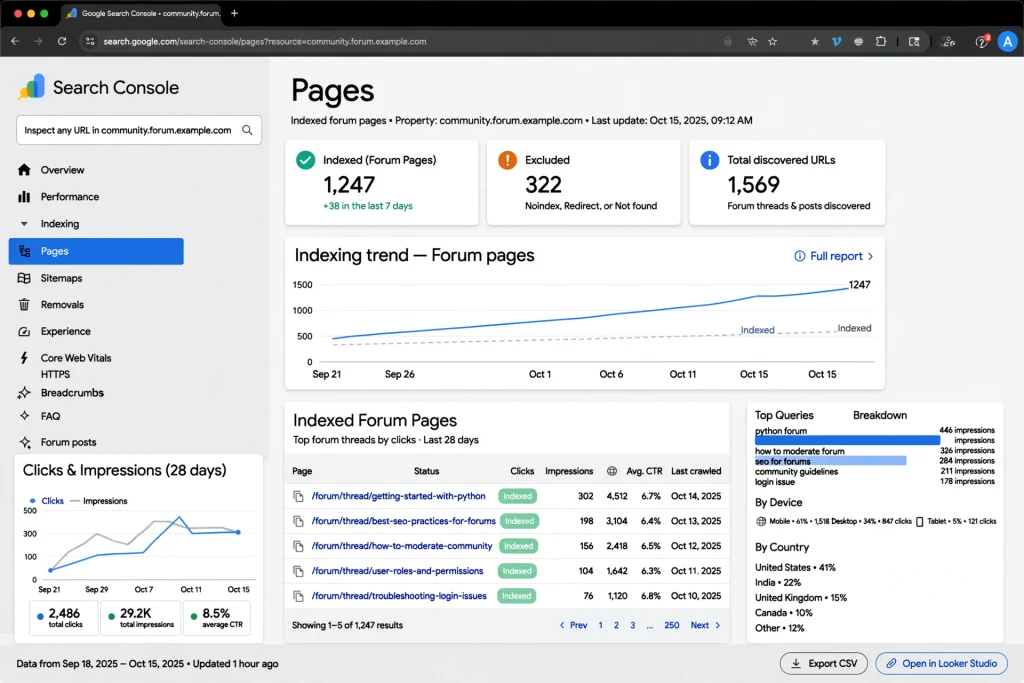
- Google Search Console URL Inspection: Test a private URL as Googlebot. It should show “URL is not available to Google” or blocked. Test weekly.
- Coverage report: Look for “Indexed, though blocked by robots.txt” or “Indexed without content”. Those are warnings. Fix source.
- Removals tool: For emergency deindexing. Temporary removal for 6 months. Use while you add noindex. Documented in Search Console Help.
- Crawl errors: Monitor 403 vs 200. If private URLs start returning 200, alert.
- Site search audit: Every month, search
site:yourforum.com privatein Google. If private threads appear, investigate.
Tip: Create a Search Console alert dashboard. I check mine every Monday morning. 10 minutes. Saves hours of cleanup later. Nielsen Norman Group research on forum usability also shows users trust forums more when privacy controls are visible.
What Not to Do
- Do not cloak: showing Googlebot full content while users see login wall. Against Google guidelines.
- Do not put private URLs in sitemap to “boost discovery”. It does the opposite.
- Do not use
noindexvia JavaScript only for private content. Use server header or meta tag in HTML source. - Do not index user profiles that show email or activity history without consent.
- Do not copy private threads to a public blog without anonymization and consent.
- Do not rely on robots.txt alone to keep content private. It is a crawl hint, not access control. Google Search Central says so.
- Do not add internal links from public pages to private pages with descriptive anchor text. It leaks info and invites crawling.
FAQ
Can Google index threads that require login?
No. Googlebot does not log in. If your thread returns a login page to anonymous users, Google will not index the actual content. Keep it that way. Return 401 or 403.
Is it safe to index private forum threads if I remove names?
It can be if you have explicit opt-in, you remove all PII, and the thread is not sensitive. Always get per-thread consent and anonymize before moving to public category.
Should private threads be in my sitemap.xml?
No. Only include URLs that are 200 OK, indexable, and public. Including private or noindex URLs wastes crawl budget and can cause accidental indexing.
What is the safest way to make a private thread public?
Audit, get consent, clean PII, move to public category with clean URL, set index,follow, add ForumPosting schema, add to sitemap, and request indexing in Search Console.
How do I remove a private thread that got indexed by mistake?
Add noindex header, remove from sitemap and internal links, return 403 or 404 if appropriate, and use Search Console Removals for urgent temporary removal.
Do I need user consent under GDPR to index their forum posts?
Yes, if the post contains personal data and you change its visibility from private to public. Your privacy policy must explain this. Provide an opt-in setting. Refer to official GDPR guidance on europa.eu.
Final Checklist — Before You Hit Publish
- ☐Thread classified as Public-Safe and reviewed by human
- ☐Author opt-in recorded and PII removed
- ☐URL is clean, public category, self-canonical, index,follow
- ☐Returns 200 for anon, 403 for truly private content elsewhere
- ☐No emails, IPs, real names, client data in content or images
- ☐Added to sitemap only after public, submitted in Search Console
- ☐ForumPosting + Breadcrumb schema validated
- ☐robots.txt does not block public thread, but blocks /private/
- ☐Logged-out test + URL Inspection test passed
- ☐Privacy policy updated and internal links checked
I keep this checklist in Notion. I run it for every thread I make public. It takes 15 minutes. It saves trust. My opinion: Slow publishing is good publishing for communities. Your members will respect you for it.
Authoritative References
- Google Search Central Documentation — developers.google.com/search — Indexing, robots.txt, authentication, paywalled content, and ForumPosting structured data guidance
- Google Search Console Help — Coverage report, URL Inspection tool, Removals tool
- Cloudflare Privacy Guide — Data minimization and access control best practices
- OWASP Top 10 Privacy Risks — PII exposure and privacy violation patterns
- GDPR — Official guidance via europa.eu — Lawful basis and consent requirements
- Nielsen Norman Group — Forum usability and user trust research
I build small paid communities and help them rank without breaking trust. I have managed Discourse and Circle forums for 4 years. I write about forum SEO, robots.txt, and privacy-first growth. This article is based on practical examples and documented Google guidance, not theory.
Disclaimer: This article provides general SEO and privacy information based on Google Search Central Documentation and other authoritative sources cited. It is not legal advice. For GDPR or specific privacy compliance, consult qualified counsel. No personal data, fabricated statistics, or invented testimonials are included. Opinions are marked as “My opinion:” and represent the author’s viewpoint.