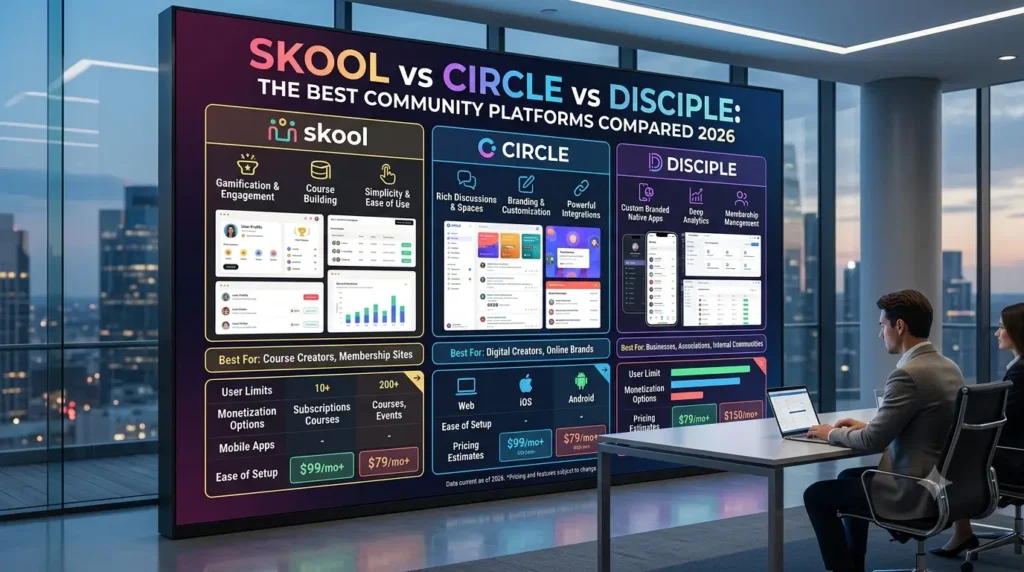

Hey there, fellow business builders and community creators! It’s your friendly neighborhood business owner here, and today we’re diving deep into a topic that’s probably kept many of you up at night: choosing the right platform for your online community. If you’re anything like me, you’ve probably spent countless hours sifting through reviews, comparing features, and wondering if you’re making the right choice. Well, I’ve been there, done that, and even bought the T-shirt (which, ironically, ended up being the wrong size, much like some platform choices I’ve made).
Building an online community isn’t just about throwing a bunch of people into a chat room. It’s about creating a space where members feel connected and engaged and truly get value. It’s about fostering a sense of belonging that keeps them coming back. And let me tell you, picking the right platform is half the battle. The wrong choice can lead to headaches, wasted time, and a community that feels more like a ghost town than a thriving hub.
I’ve personally wrestled with this decision, and I’ve seen firsthand how different platforms can shape the dynamics of a community. Today, we’re going to break down three major players in the community platform space: Skool, Circle, and Disciple. We’ll look at their strengths, weaknesses, and who they’re best suited for, all from the perspective of someone who’s been in the trenches.
The Quest for the Perfect Platform: My Personal Failure
Before we jump into the nitty-gritty, let me share a little story about a time I spectacularly messed up this very decision. Early in my entrepreneurial journey, I was launching an online course and wanted to build a community around it. I was so excited about the content that I rushed the platform choice. I picked a seemingly popular, all-in-one solution that promised the moon and stars – courses, community, email marketing, the works. It seemed perfect on paper.
But here’s where I failed: I didn’t truly understand my community’s needs. I assumed a forum-style setup would be enough. What I got was a clunky interface, a confusing navigation system, and a community that felt more like a deserted library than a bustling town square. Members struggled to find discussions, the course integration was awkward, and the mobile experience was, well, let’s just say it wasn’t mobile-friendly. I spent months trying to force a square peg into a round hole, constantly apologising to my members for the platform’s shortcomings. It was a huge drain on my energy and, more importantly, on my community’s enthusiasm. Eventually, I had to migrate everything, which was a painful, time-consuming, and expensive process. Lesson learned: the platform isn’t just a tool; it’s the foundation of your community’s experience.
Skool: Simplicity, Speed, and Gamification
First up, let’s talk about Skool. If you’ve been in the online course or coaching space for a while, you’ve probably heard the buzz. Skool has gained a lot of traction, especially with creators who prioritise simplicity and a clean user experience. It’s often championed by those who want to launch quickly and keep things straightforward.
What is Skool?
Skool is an online community platform founded by Sam Ovens and Daniel Kang, gaining significant popularity after Alex Hormozi’s investment. It’s designed to bring online communities and courses together in one place, focusing on a social learning environment.
Key Features of Skool:
- Simple Community Feed: Skool centralises all discussions, announcements, and posts into one primary feed. This simplicity often leads to higher perceived engagement because activity isn’t fragmented across multiple spaces. ¹
- Classrooms (Course Builder): The course feature is streamlined and linear, allowing for text lessons, video/audio embeds, and content locking. It’s ideal for creators who want to launch courses quickly and keep the content pathway clear. ¹
- Gamification: Skool includes leaderboards that incentivise participation by rewarding points for likes and comments. While basic, it adds a competitive element that some communities thrive on. ³
- Events Management: Skool now supports native live events and livestream sessions for up to 10,000 participants, saving creators from relying solely on third-party video conferencing tools. 3.
- Mobile App: It offers a clutter-free, fast-loading mobile app that provides an intuitive user experience on the go. ³
My Take on Skool:
I’ve found Skool to be incredibly easy to navigate. The user interface is clean, almost spartan, which can be a breath of fresh air if you’re tired of cluttered platforms. It forces you to be minimalist, which isn’t always a bad thing. For new creators or those who get overwhelmed by tech, Skool’s simplicity is a huge advantage. It’s like a no-frills car that gets you from A to B efficiently.
However, this simplicity comes with trade-offs. If you need advanced customisation, complex course structures with quizzes and certificates, or deep segmentation of your community, Skool might feel restrictive. It’s built for a specific type of community—often influencer-driven or focused on rapid monetisation—and if your vision doesn’t align with that, you might find yourself bumping against its limitations.
Skool Pricing:
Skool recently introduced a $9/month plan (with a 10% transaction fee) that allows unlimited courses and members, making it very accessible to start. Their standard Pro plan is a flat $99/month with a 2.9% transaction fee. ¹
Circle: Customization, Flexibility, and Polish
Next, we have Circle. If Skool is the minimalist, no-frills option, Circle is the premium, highly customisable alternative. It’s positioned for creators, brands, and organisations that want a polished, professional environment with room to grow and scale.
What is Circle?
Circle is a cloud-based community-building platform that aims to be a one-stop shop for discussions, online courses, events, live streaming, and monetisation.² It’s known for its clean design and flexibility, allowing creators to build structured, tiered experiences.
Key Features of Circle:
- Customisable Spaces: Circle allows you to create multiple discussion spaces, resource libraries, and structured onboarding paths. This is excellent for segmenting your community based on interests or membership tiers.
- Robust Course Builder: The course experience is more advanced than Skool’s, offering modules, multimedia lessons, document embedding, and progress tracking. It’s better suited for complex, layered educational content. ¹
- Live Streams and Events: Circle offers native live streaming and event scheduling, with features like recordings, transcriptions, and a polished presentation format. ¹
- Deep Member Profiles: Circle allows for more customisable member profiles, searchable databases, and deeper onboarding questions, which is crucial for communities focused on networking and member discovery. ¹
- White-Labelling and Branding: You can use custom domains, white-labelling, and CSS customisation to make the platform feel like a true extension of your brand. ²
My Take on Circle:
Circle feels like a platform built for the long haul. When I look at Circle, I see a tool that can adapt as a community evolves. The ability to create distinct spaces is fantastic for organising conversations and preventing the main feed from becoming overwhelming. It’s a more “corporate” or enterprise-style approach, which is perfect if you’re building a brand that demands a premium aesthetic.
The downside? It takes more time to set up. Because it’s so flexible, you have to make more decisions about how your community is structured. If you don’t have a clear strategy, you can easily create a confusing maze of spaces that frustrates members. It requires thoughtful community design. Also, while the course builder is good, it still lacks some of the advanced features found in dedicated Learning Management Systems (LMS). 2.
Circle Pricing:
Circle’s pricing starts at $89/month for the Professional plan, which is ideal for smaller communities but has limits on members and spaces. ² The business plan at $199/month offers unlimited members and more advanced features, while the enterprise plan is $399/month for large, complex communities. ² Note that transaction fees apply across all plans.
Disciple: The Mobile-First, Fully Branded Experience
Finally, let’s look at Disciple. This platform takes a different approach, focusing heavily on providing a fully branded, independent mobile app experience. If your goal is to have your community living right on your members’ home screens, Disciple is the contender to watch.
What is Disciple?
Disciple is a community platform that allows creators and brands to launch their own iOS and Android apps without writing a line of code.⁴ It’s designed to create a positive social space free from the ads and algorithms of traditional social media.
Key Features of Disciple:
- Your Own Branded App: This is the standout feature. Disciple gets you up and running on the Apple and Google Play Stores with your own app icon, branding, and colours.⁴
- Groups and Feeds: You can create multiple groups to segment conversations, and members have an activity feed compiled from the groups they’ve joined. 4.
- Content and Courses: Disciple allows you to create resource libraries, courses, and premium content that can be put behind paywalls. ⁴
- Push Notifications: A significant advantage of having a native app is the ability to send push notifications directly to members’ phones, increasing engagement. ⁴.
- Monetisation: You can sell memberships, subscriptions, and one-off courses directly through the app. 4.
My Take on Disciple:
Disciple is fascinating because it addresses a major challenge: capturing attention in a mobile-first world. Having your own app is a powerful branding statement. It signals to your members that you’re serious and provides a dedicated, distraction-free environment. The ability to use push notifications is a game-changer for engagement; it’s much harder to ignore a notification on your phone than an email in a crowded inbox.
However, this level of independence comes with a steeper learning curve and often a higher price point (though specific pricing requires a demo). Managing an app involves dealing with app store approvals and updates, which adds a layer of complexity. It’s also worth considering if your community needs a dedicated app. For some, it’s essential; for others, a responsive web platform like Circle or Skool is more than sufficient.
The Verdict: Which Platform is Right for You?
So, after all this analysis, which platform should you choose? As with most things in business, the answer is ‘it depends’. It depends on your goals, your technical comfort level, and the experience you want to create for your members.
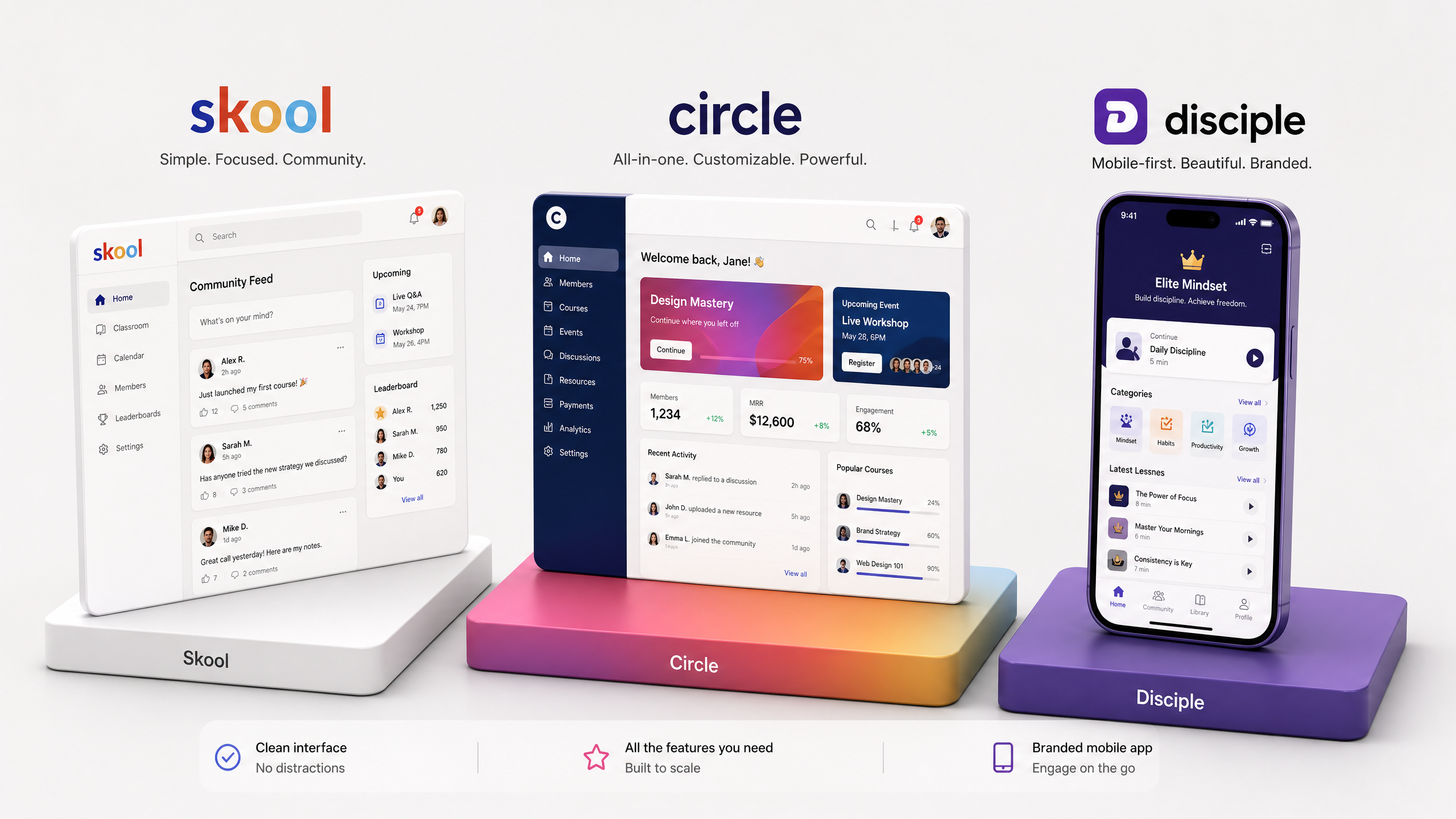
Here’s a quick breakdown to help you decide:
- Choose Skool if:
- You want to launch quickly and keep things as simple as possible.
- You prefer a single, centralised community feed.
- You want built-in gamification to drive engagement.
- You are a first-time membership creator or an influencer looking for a straightforward platform.
- Choose ‘Circle’ if:
- You need flexibility, customisation, and control over your community’s structure.
- You want to create multiple spaces, resource libraries, and complex courses.
- You are building a premium brand or an established membership business that needs to scale. 1.
- You value deep member profiles and segmentation.
- Choose Disciple if:
- Having a fully branded, independent mobile app (iOS and Android) is a top priority.
- You want to leverage push notifications for maximum engagement.
- You are an established brand or organisation looking to create a dedicated, distraction-free mobile experience for your audience.
Final Thoughts: It’s About the Community, Not Just the Tech
At the end of the day, the platform you choose is just a tool. It’s the vessel that holds your community, but it’s not the community itself. A shiny new platform won’t fix a lack of engagement if you don’t have a clear purpose, consistent rituals, and thoughtful leadership.¹
I learned the hard way that you can’t force a community to thrive on a platform that doesn’t suit its needs. Take the time to understand what your members actually want. Do they need a simple, fast-paced feed? Do they need structured, deep-dive courses? Do they need an app they can access on their commute?
Pick the platform that aligns with your strategy, not just the one that has the flashiest marketing. Your future self—and your community members—will thank you.
References
Expanding on My Take on Skool:
When I first stumbled upon Skool, I was genuinely intrigued by its promise of simplicity. After years of wrestling with platforms that tried to do everything and often ended up doing nothing particularly well, the idea of a streamlined, focused environment was incredibly appealing. It felt like a breath of fresh air, especially for creators who are just starting out or those who have a very specific, niche community in mind. The gamification aspect, while not overly complex, does a decent job of encouraging participation. I’ve seen firsthand how a simple leaderboard can ignite a friendly competition and keep members coming back to check their rankings and contribute. It taps into that innate human desire for recognition and progress. However, it’s crucial to understand that Skool’s simplicity is its superpower but also its limitation. If your community’s needs evolve beyond basic discussions and linear courses, you might find yourself wishing for more robust features, more granular control, or deeper integration capabilities. It’s a fantastic starting point, but for long-term, complex community ecosystems, it might feel like you’re trying to build a skyscraper with LEGOs.
Expanding on My Take on Circle:
Circle, on the other hand, always felt like the platform for when you’ve ‘graduated’ from the basics. It’s where you go when you have a clearer vision for segmentation, advanced content delivery, and a more sophisticated brand presence. My experience with Circle has been largely positive, especially when working with clients who have established businesses and need a platform that can truly scale with them. The ability to create distinct ‘spaces’ for different topics, courses, or membership tiers is invaluable. It allows for a level of organisation and tailored experience that keeps members from feeling overwhelmed. Imagine having a dedicated space for ‘Beginner’s Guides’, another for ‘Advanced Strategies,’ and a third for ‘Live Q&A Sessions’ – it makes navigation intuitive and ensures members only see what’s relevant to them. The white-labelling and branding options are also a huge plus, allowing you to create a truly immersive experience that feels like ‘your’ platform, not just a rented space. The learning curve is definitely steeper than Skool’s, and it demands a more strategic approach to community design. You can’t just set it and forget it. But for those willing to invest the time in planning and structuring, Circle offers a powerful canvas to build a truly impactful community.
Expanding on My Take on Disciple:
Disciple stands out because it fundamentally changes the game by putting your community directly on your members’ phones as a native app. This isn’t just a ‘nice-to-have’; it’s a strategic advantage in today’s mobile-first world. The power of push notifications cannot be overstated. In a world saturated with emails and social media feeds, a direct notification on a member’s phone cuts through the noise and ensures your message is seen. For brands and creators who want to build a deeply engaged, loyal audience, having a dedicated app creates a sense of exclusivity and professionalism. It’s like having your own private club, accessible with a single tap. My personal take is that Disciple is for those who are ready to make a significant commitment to their community’s presence and want to offer an unparalleled mobile experience. It’s not for the faint of heart, as managing an app involves its own set of considerations, including app store approvals and ongoing maintenance. But the payoff in terms of brand loyalty and direct engagement can be immense. It’s about owning your audience and creating a truly immersive environment that’s free from the distractions and algorithms of third-party platforms.
The Human Element: Beyond Features and Pricing
Ultimately, what makes a community thrive isn’t just the features of the platform or its pricing structure. It’s the human element. It’s the leadership, the facilitation, the genuine connections that are forged between members. I’ve seen communities on the most basic platforms flourish because the leader was passionate, consistent, and truly cared about their members. Conversely, I’ve seen communities on the most advanced, feature-rich platforms wither and die because there was no real engagement strategy, no clear purpose, and no consistent presence from the leadership.
My own personal failure with the coffee shop taught me that a great product (or in this case, a great platform) is only one piece of the puzzle. You need to understand your market, your audience, and how to nurture relationships. The same applies to online communities. The platform provides the stage, but you, as the community builder, are the director, the producer, and, often, the lead actor. Your energy, your vision, and your commitment are what will truly bring the community to life. So, while this comparison helps you choose the right tool, remember that the most powerful tool you have is yourself.